

Overview
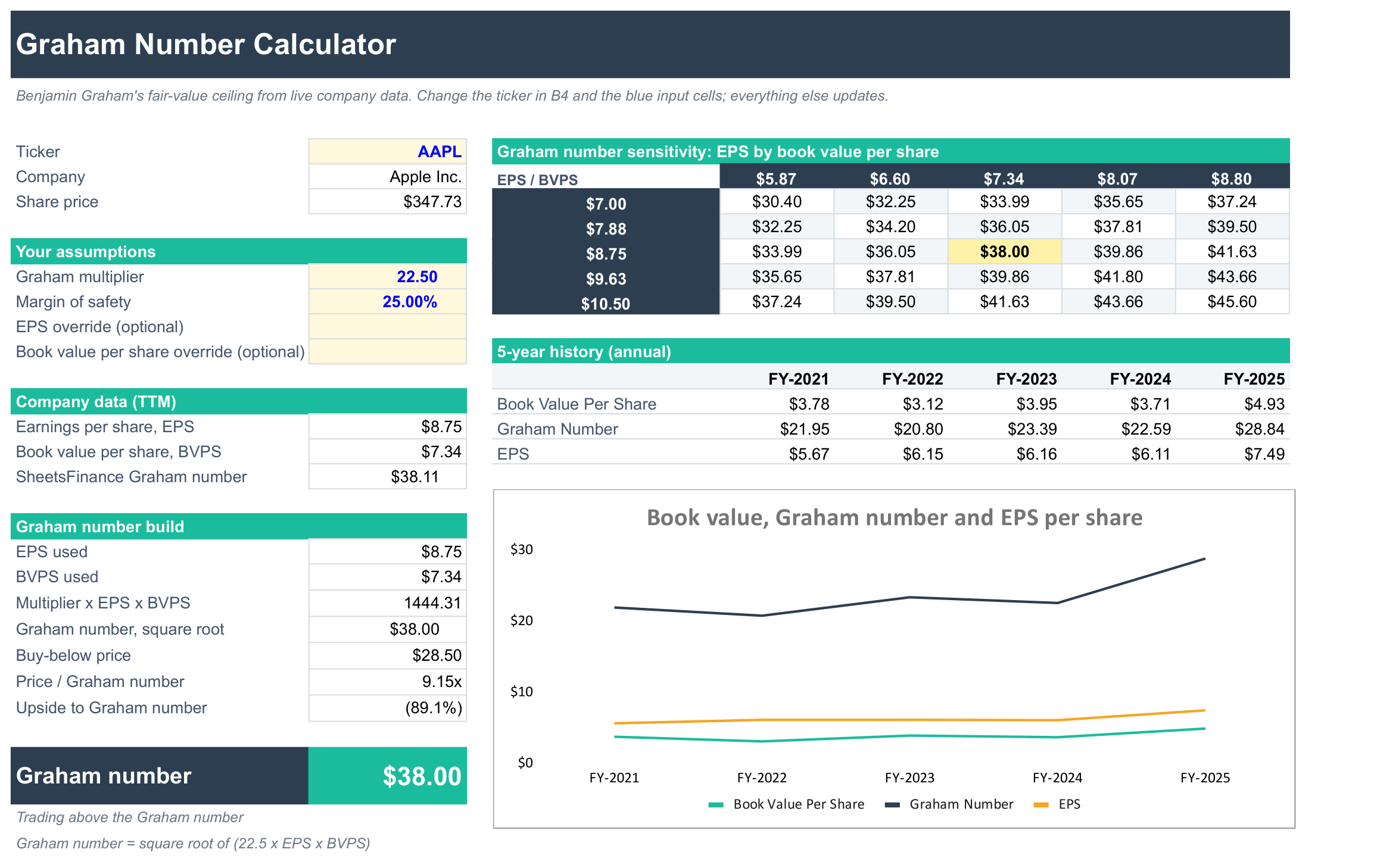
Work out a company's Graham number, Benjamin Graham's ceiling on what a defensive investor should pay for a stock, from live earnings and book value data.
What's inside
- Company data: trailing twelve-month earnings per share (EPS) and book value per share (BVPS), pulled automatically for the ticker you choose, plus SheetsFinance's own pre-calculated Graham number as a cross-check.
- Graham number build: each step laid out so you can follow the method:
- The multiplier x EPS x BVPS
- The square root of that, which is the Graham number
- A buy-below price after your margin of safety
- Price / Graham number and the upside or downside to it
- Sensitivity grid: the Graham number across a range of EPS and book value figures.
- 5-year history: book value per share, EPS and the Graham number each year, with a chart.
The multiplier of 22.5 comes from Graham's limits of a P/E of 15 and a P/B of 1.5. You can change it and the margin of safety in the blue cells, and enter your own EPS or book value in the optional override cells.
If a company has negative earnings or book value, the Graham number isn't meaningful, so the template shows 0 and says so.
Good for
- A quick value check before you dig into a full valuation such as the SF DCF Valuation Template
- Learning how the Graham number is built and what drives it
How to use it
- Click Copy to Google Sheets to save your own copy.
- Open Extensions → SheetsFinance and make sure you're connected.
- Type a ticker such as
AAPLinto cell B4. - Adjust the multiplier and margin of safety in B9 and B10 to suit you.
Google Sheets
Excel
Functions used
The SheetsFinance functions this template is built with. Read the docs to adapt it.