

Overview
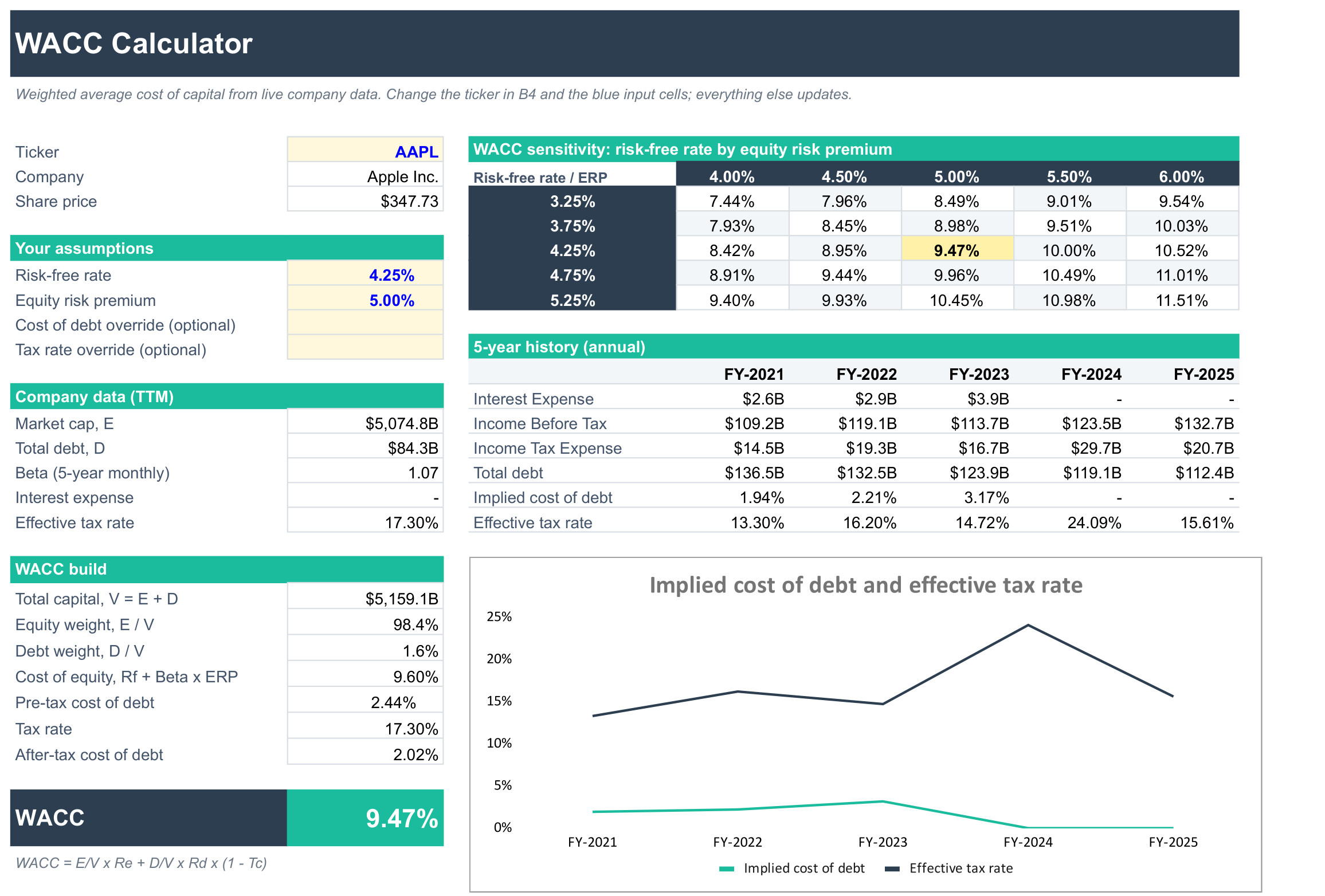
Work out a company's weighted average cost of capital (WACC) from live market and financial statement data, ready to use as the discount rate in a DCF.
What's inside
- Company data: market cap, total debt, beta, interest expense and effective tax rate (TTM), pulled automatically for the ticker you choose.
- WACC build: each step laid out so you can check it:
- Cost of equity with CAPM (risk-free rate + beta × equity risk premium)
- Pre-tax and after-tax cost of debt
- Market-value weights of equity and debt
- Sensitivity grid: WACC across a range of risk-free rates and equity risk premiums.
- 5-year history: the company's implied cost of debt and effective tax rate each year, with a chart.
You set the risk-free rate and equity risk premium in the blue cells. If you already have a cost of debt (such as a bond yield) or a tax rate you prefer, enter it in the optional override cells.
If a company doesn't report interest expense, the template uses its average implied cost of debt from the last 5 years instead.
Good for
- Choosing a discount rate for the SF DCF Valuation Template or your own model
- Comparing the cost of capital across companies
How to use it
- Click Copy to Google Sheets to save your own copy.
- Open Extensions → SheetsFinance and make sure you're connected.
- Type a ticker such as
AAPLinto cell B4. - Adjust the risk-free rate and equity risk premium in B9 and B10 to suit your view.
Google Sheets
Excel
Functions used
The SheetsFinance functions this template is built with. Read the docs to adapt it.