
Analyst Ratings Totals
The ratings data type returns the cumulative analyst stock ratings per month for a company. This is the sum total of ratings for all analysts/brokers that cover the stock.
=SF(symbol, "ratings", metrics, date, options)symbolis the ticker symbol of the financial asset (e.g.,"AAPL"). You can use our Symbol Search to find the correct ticker symbol.metricsselects what metrics to display (see options below), display all metrics by leaving blank or using"all". Chain together as many metrics as you'd like using&, e.g.,"buy&sell&hold".dateis a string in ISO format and can either be just the year (e.g."2020") or the year and month (e.g."2020-01"). Other options includelatestwhich returns the most recent month's analyst totals orallwhich returns the same result as not inputting a date at all.optionsadjusts the formatting of the output. Available options include:"NH"for no header rows and"-"for reversing the output. You can chain together as many options as you'd like using&, e.g.,"NH&-".
The Ratings metrics options are:
All (
"all")Date (
"date")Buy (
"buy")Sell (
"sell")Hold (
"hold")Strong Buy (
"strongBuy")Strong Sell (
"strongSell")
Examples
Example 1 - Latest ratings total of a specific rating type
=SF("AAPL", "ratings", "buy", "latest")Note here that the return is a single data point with no table/headers as both the metrics and date have been fully specified resulting in a single data point returned.
Example 2 - All
=SF("AAPL", "ratings")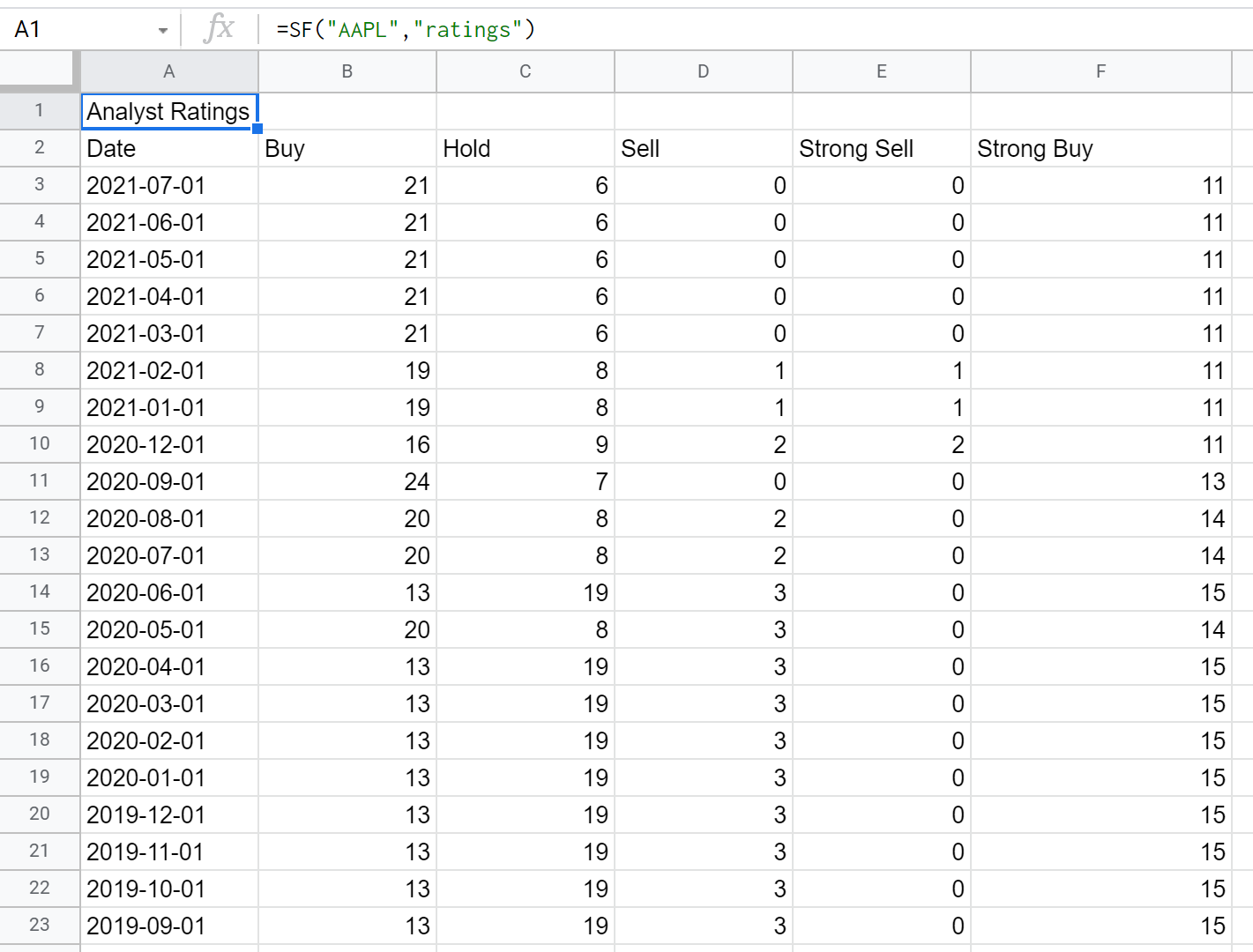
Example 3 - Filter by rating type
=SF("AAPL", "ratings", "buy")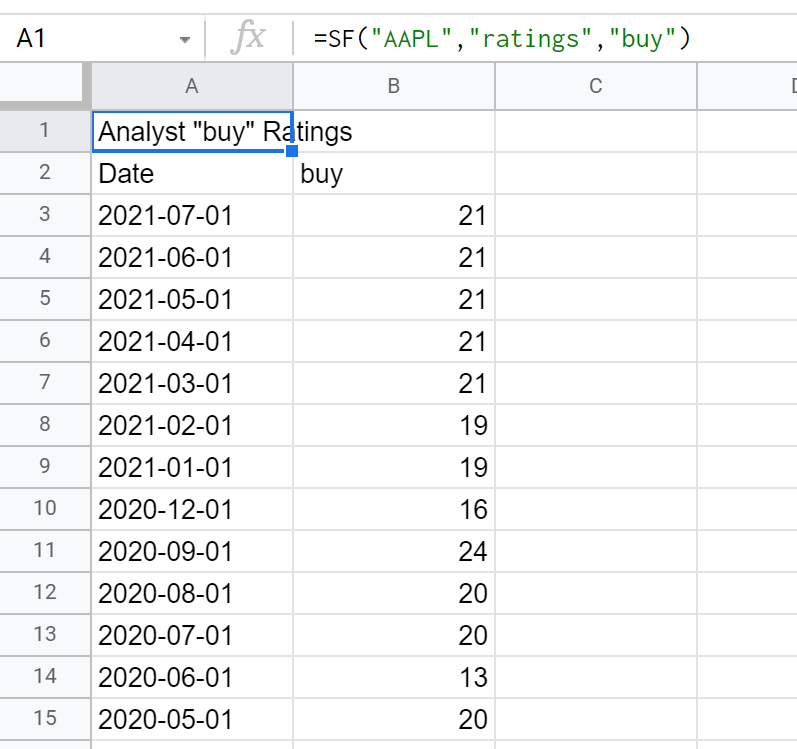
Example 4 - Filter by date
=SF("AAPL", "ratings", "", "2020")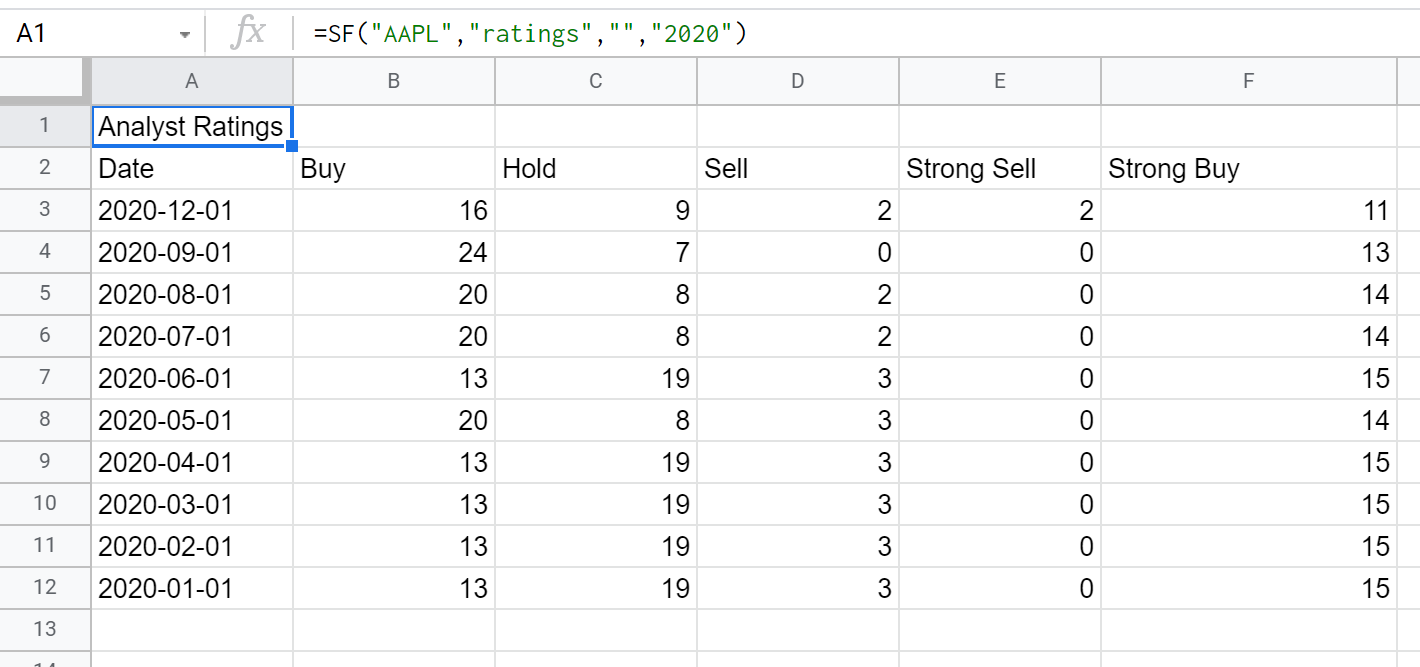
Example 5 - Filter by type and date
=SF("AAPL", "ratings", "buy", "2020")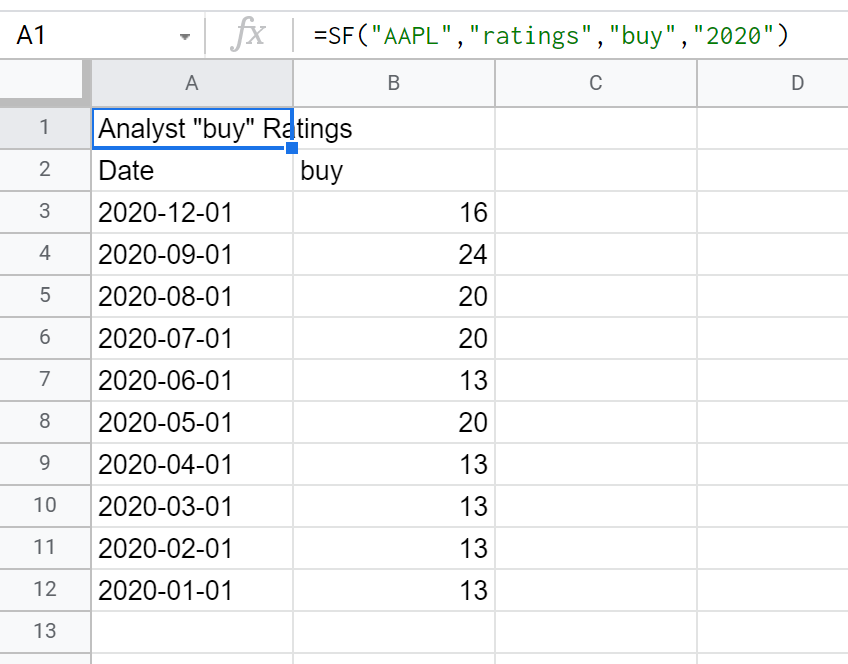
Example 6 - Filter by type and date (with month)
=SF("AAPL", "ratings", "buy", "2020-01")Note here that the return is a single data point with no table/headers as both the metrics and date have been fully specified resulting in a single data point returned.