Earnings
The earnings function allows you to access the historical estimate and actual earnings per share (EPS) and revenue reported on a quarterly basis. The EPS figure is the non-GAAP, before non-reoccuring items (BNRI) EPS. If you are after the GAAP/reported EPS please see the Income Statement. This data can be used to simply calculate the EPS surprise per quarter. A series of examples are provided below.
=SF(symbol, "earnings", metrics, date, options)symbolis the ticker symbol of the financial asset (e.g.,"AAPL"). You can use our Symbol Search to find the correct ticker symbol.metricsis the specific data you're after for example"date"or"date&eps&revenue". You can leave this blank or set it to"all"to output ALL available data. You can also chain together multiple ratios using the&operator, for example"date&eps". See the list of available metrics below.dateis either the year (YYYY), range of years (YYYY-YYYY) or"ttm". This controls what historical earnings data is returned.optionsadjusts the formatting of the output. Set this field to"NH"for no header rows or"-"for reversed order. You can combine options with the&operator like so"NH&-".
Tips:
Earnings data covers most major global markets but may bit limited for smaller exchanges. Please contact us if data you are after is not currently available.
The EPS is the non-GAAP, before non-reoccuring items (BNRI) EPS. If you are after the GAAP/reported EPS please see the Income Statement.
If the
dateargument is omitted the function will default to the trailing twelve months of data (TTM)If the
metricsargument is omitted the function will default toall.
The earnings data type has the following metrics to select from:
All (
"all")Date (
"date")EPS Actual (
"eps")EPS Estimated (
"epsEstimated")Revenue Actual (
"revenue")Revenue Estimated (
"revenueEstimated")
Examples
Example 1 - All metrics, trailing twelve months (TTM)
=SF("AAPL", "earnings")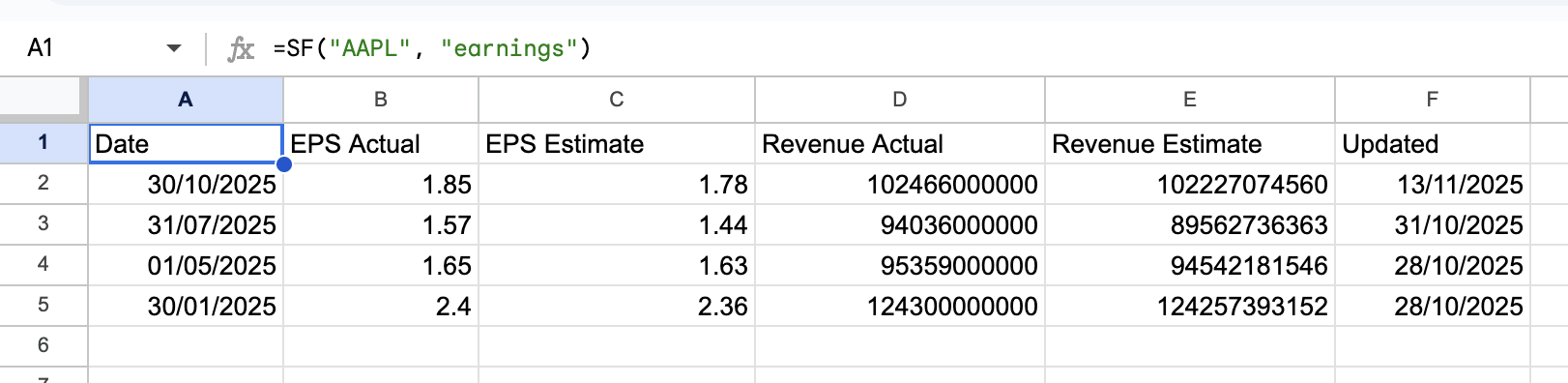
Example 2 - Specific metrics, TTM
=SF("AAPL", "earnings", "date&eps&revenue")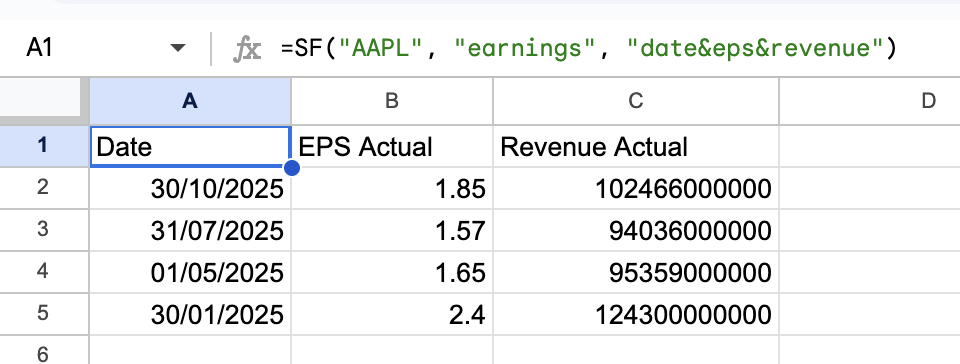
Example 3 - All metrics, range of years
=SF("AAPL", "earnings", "all", "2020-2023")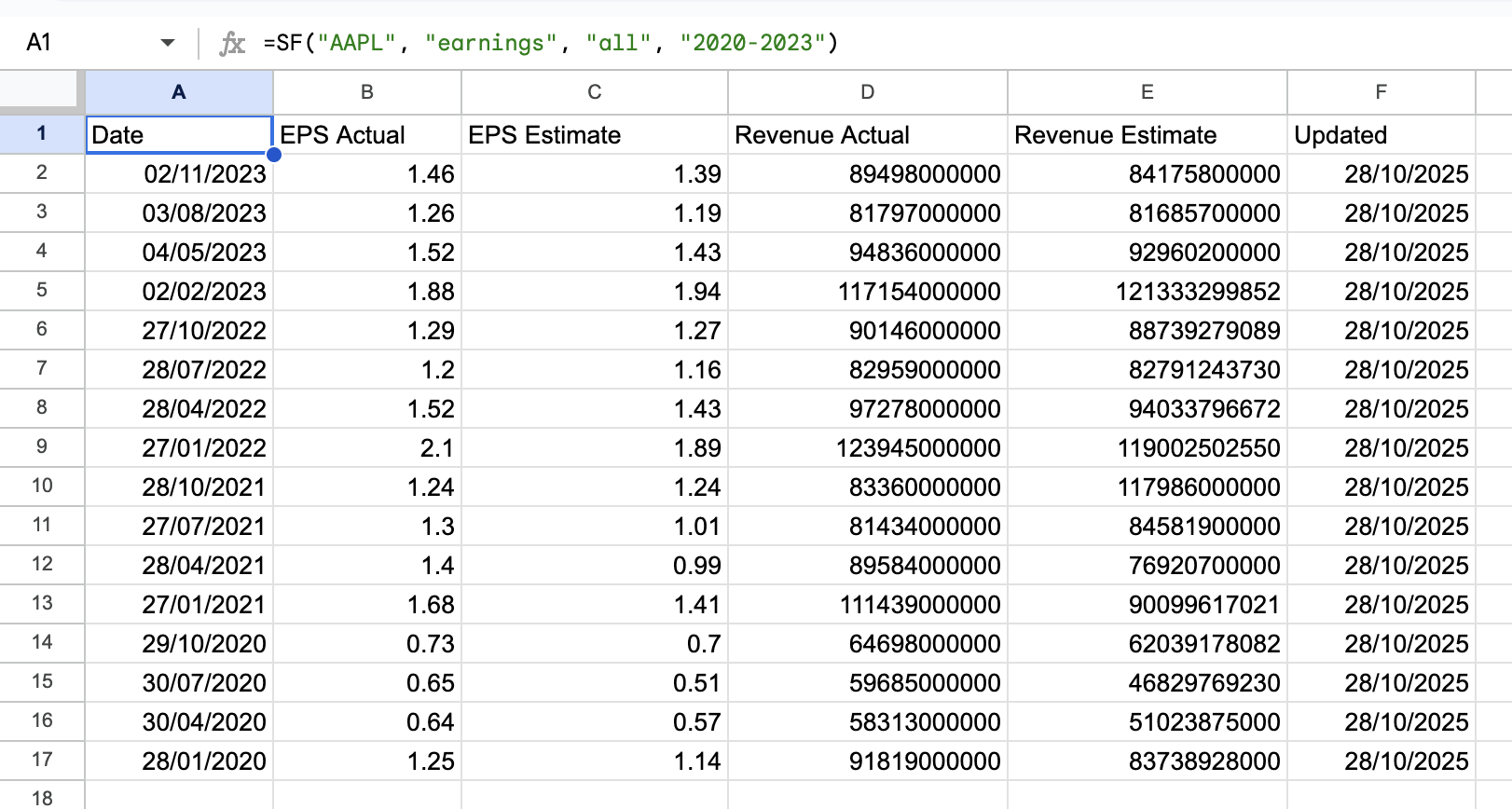
Example 4 - All metrics, single year
=SF("AAPL", "earnings", "all", 2022)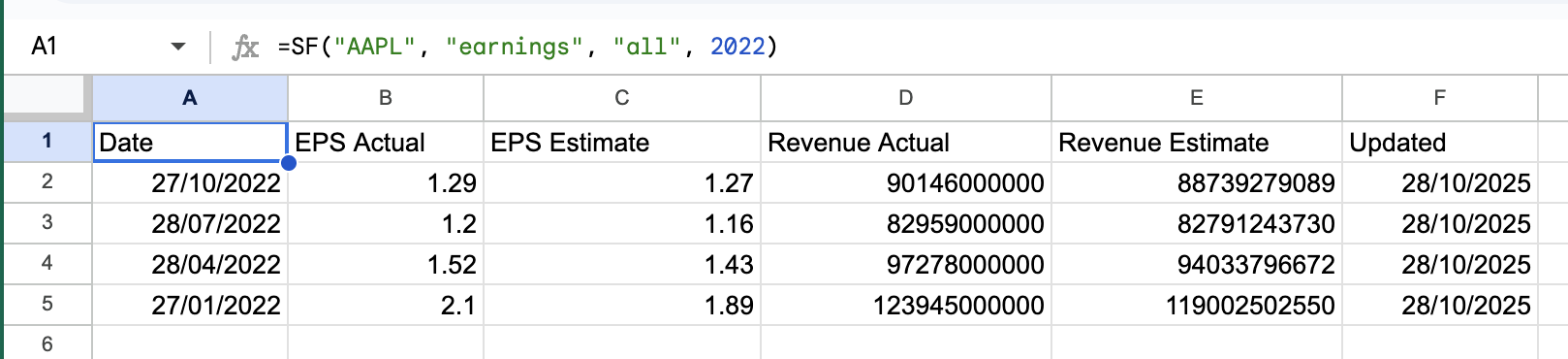
Example 5 - Specific metrics, single year, no header
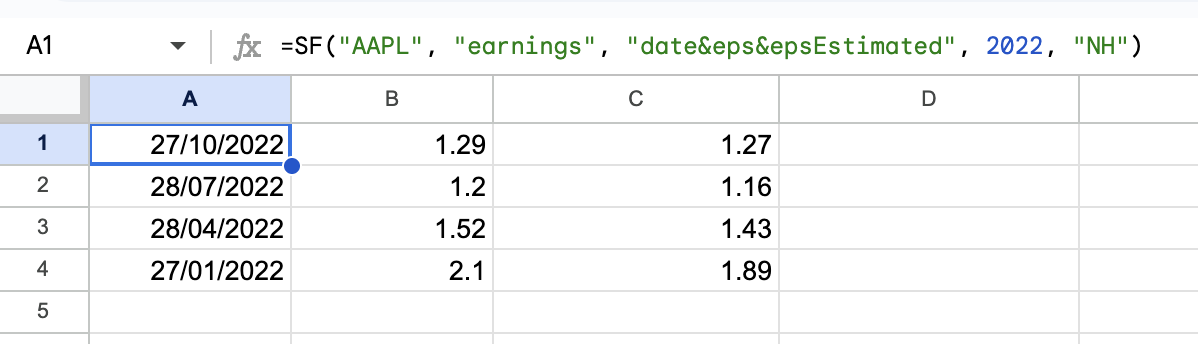
=SF("AAPL", "earnings", "date&eps&epsEstimated", 2022, "NH")