Institutional Holders
The instHolders data type returns a breakdown of institutional holders of a stock.
=SF(symbol, "instHolders", metric, date, options)symbolis the ticker symbol of the financial asset (e.g.,"AAPL"). You can use our Symbol Search to find the correct ticker symbol.metricselects what metrics to display (see options below), display all metrics by leaving blank or using"all". Chain together as many metrics as you'd like using&, e.g.,"asset&weightPercentage".dateis the date of the institutional holdings data. Leaving this empty will return the latest data. If the specified date is not found in the dataset then the data returned will be next available date before the date provided. Institutional holdings data is updated quarterly, therefore quarterly dates are recommended. You can return a list of the available dates by specifying"dateOptions"as the metric.optionsadjusts the formatting of the output. Available options include:"NH"for no header rows,"-"for reversing the output,"ob=XXX"for ordering the output by a specific metric, e.g."ob=shares"to order the data bysharesin descending order and"limit=X"to limit the number of rows returned to X rows. You can chain together as many options as you'd like using&, e.g.,"ob=change&limit=10&-".
The ETF Holdings metric options are:
All (
"all")Holder (
"holder")Shares (
"shares")Date Reported (
"dateReported")Change (
"change")dateOptions (
"dateOptions") - only returns a list of available dates for the stock. This can be used as a reference for further analysis.
Important: Institutional Holders data does not have global coverage, only selected major markets are included.
For aggregate ownership percentages across all holders, see Ownership.
Examples
Example 1 - All latest holders data
=SF("AAPL","instHolders")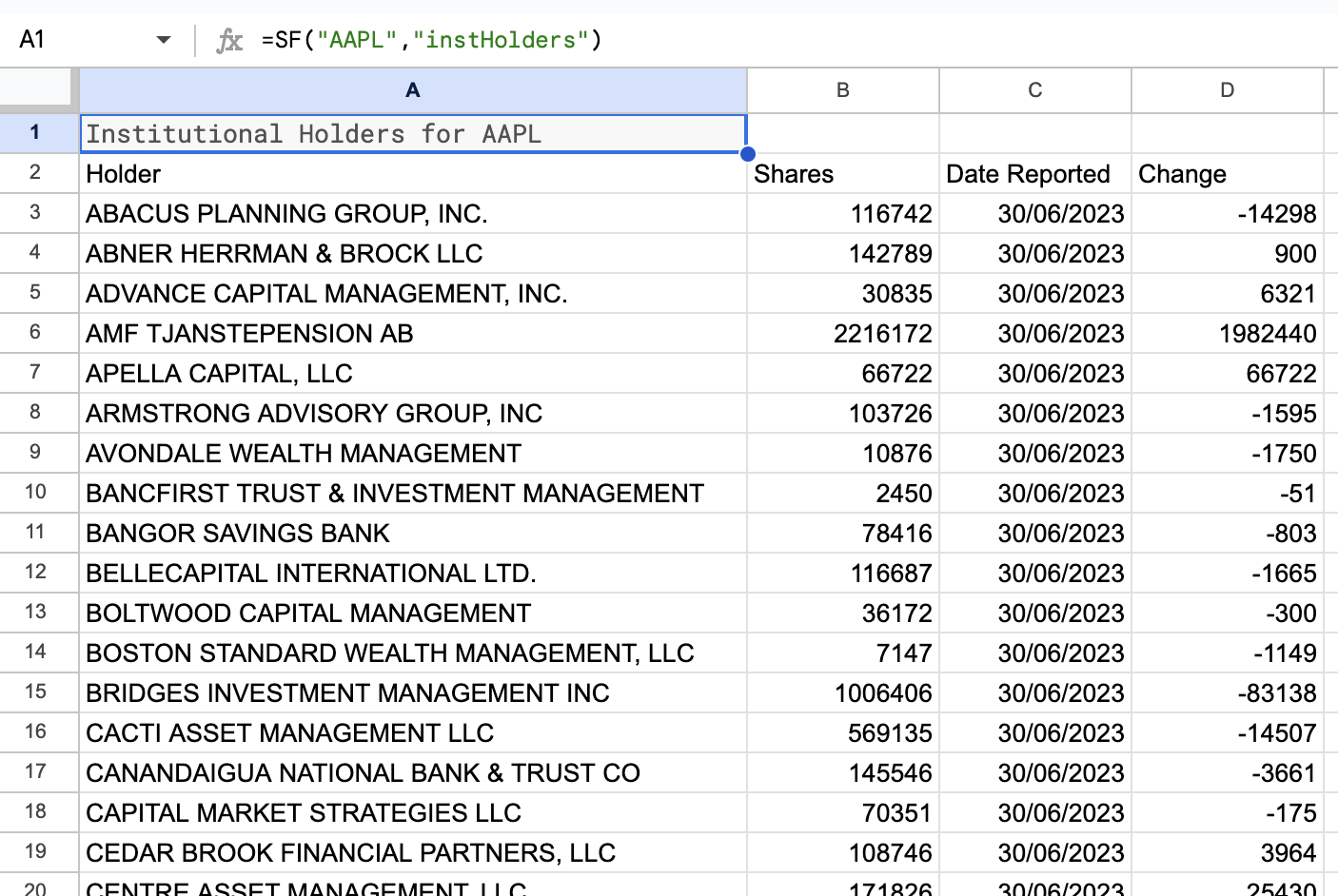
Example 2 - Latest holders data ordered by number of shares
=SF("AAPL","instHolders","all", "", "ob=shares")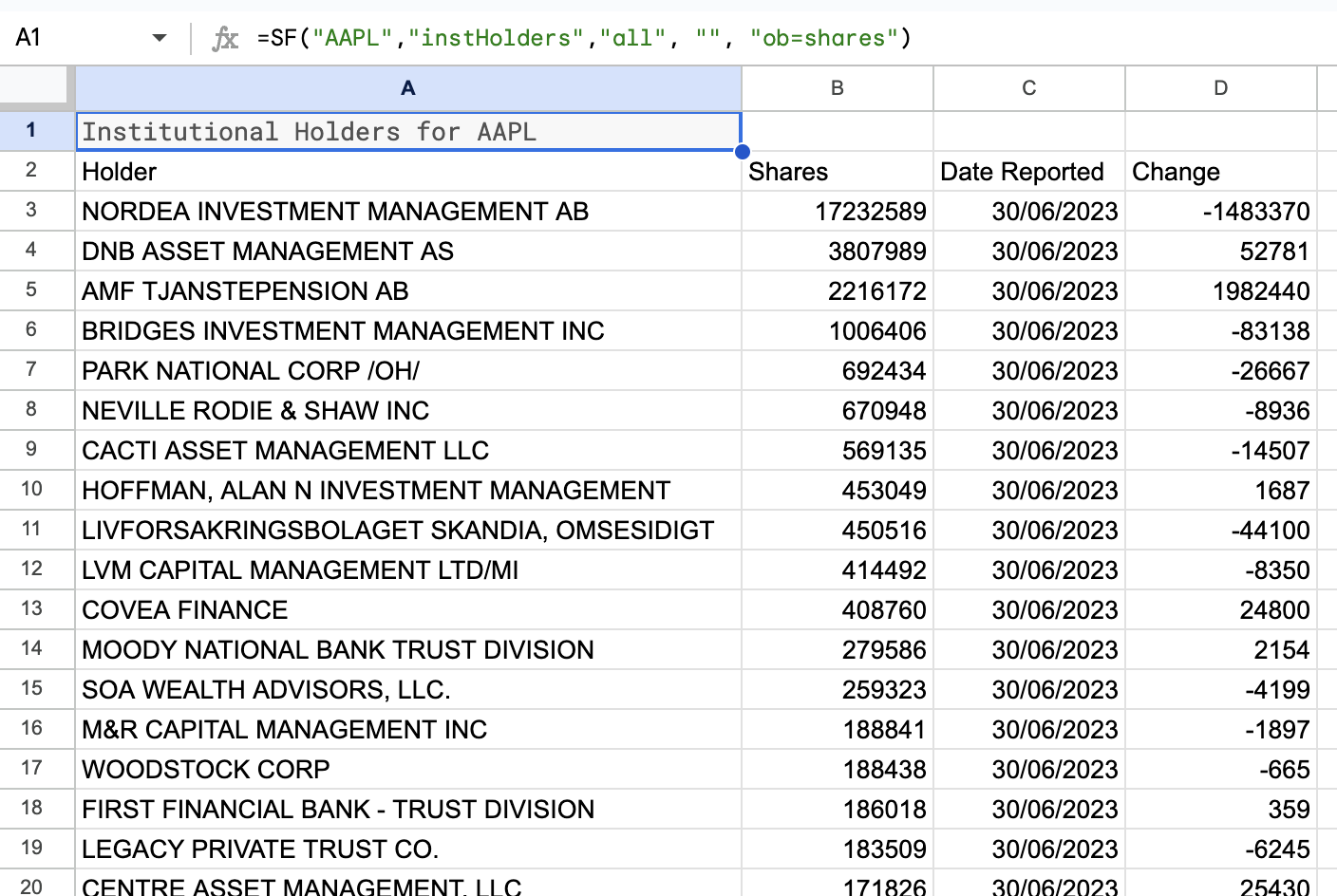
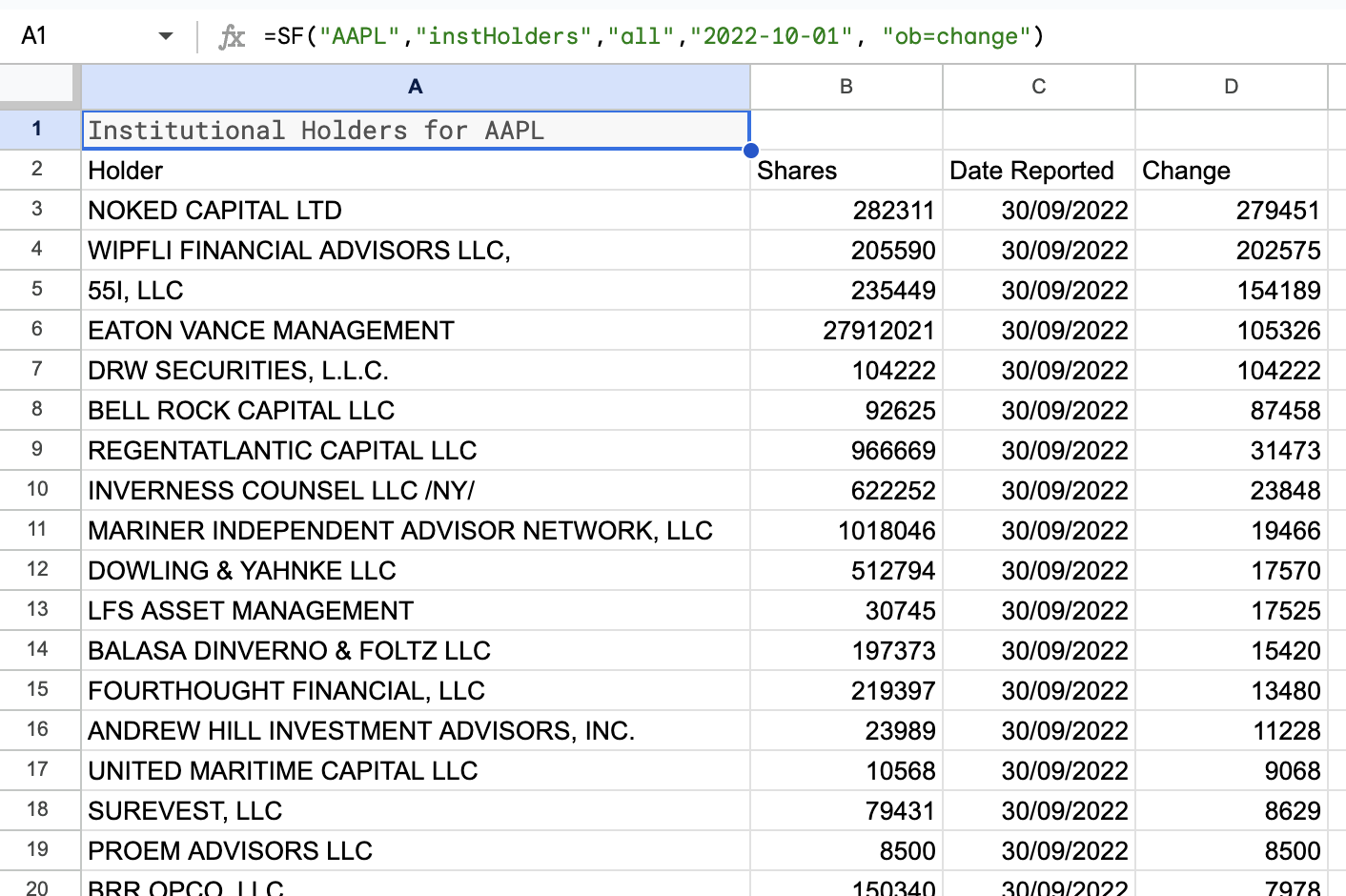
Example 3 - Historical holders data ordered by change in shares
=SF("AAPL","instHolders","all","2022-10-01", "ob=change")