Company Info Batch
Are you after a lot of data fast? Our company info batch feature allows you to apply the profile data type to a large range of symbols at the same time. This returns the data significantly faster than individual functions and only counts as 1 external request for your daily quota. Company Info Batch functions exactly the same as Quotes Batch, just use the SF() function as you normally would but instead of applying it to a single cell use it on a vertical range like so:
=SF(A1:A100, "profile", "sector")

[multi-cell array of market caps]
All profile subtypes such as name, exchange, sector, lastDividend, beta etc... work with the batch functionality like so:
=SF(A1:A100, "profile", "exchange")

[multi-cell array of year highs]
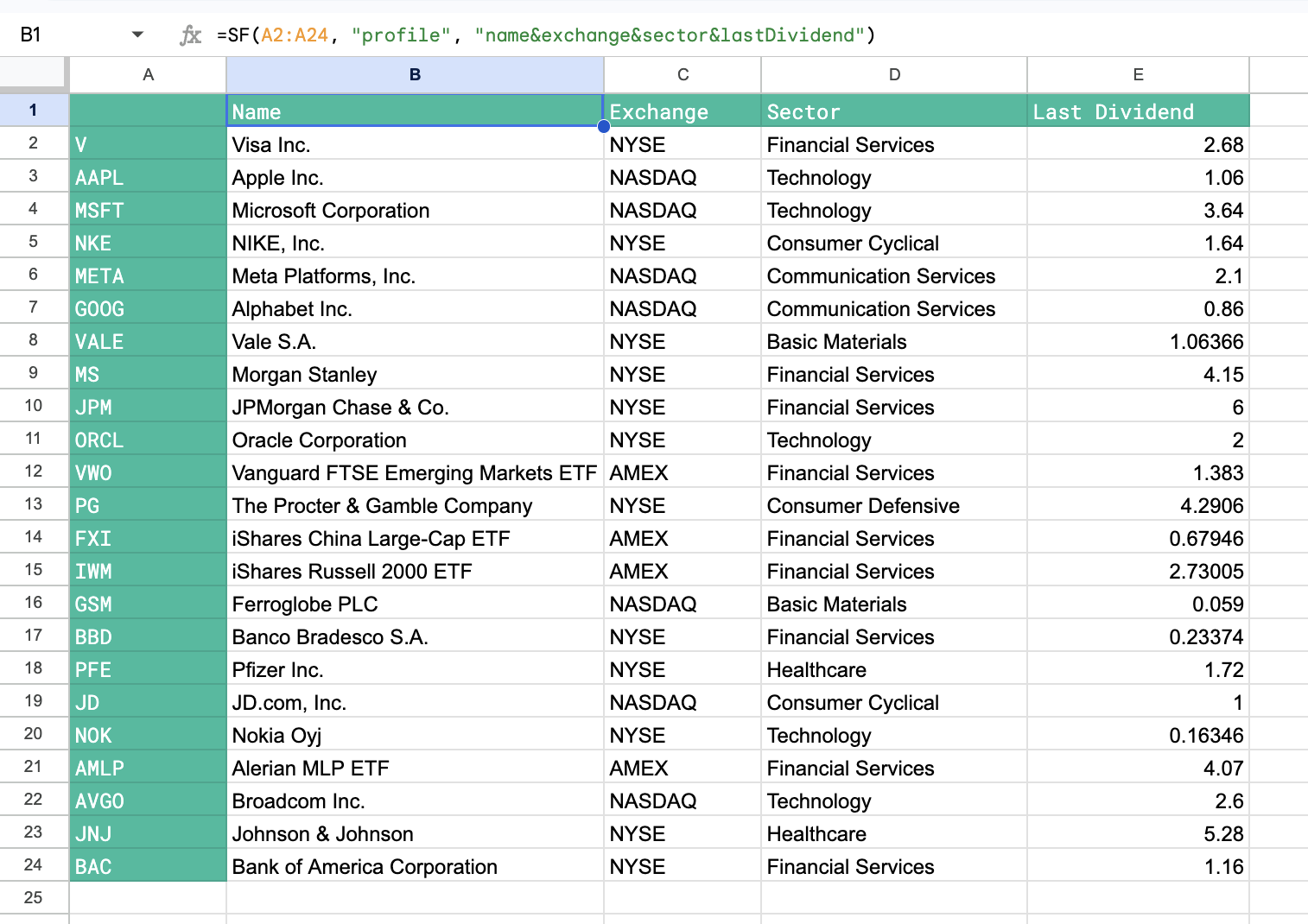
You can even chain together metrics to return 1000s of data points at once:
=SF(A1:A100, "profile", "name&exchange§or&lastDividend")The profile data type was formerly called companyInfo. Existing formulas that still use "companyInfo" keep working, so there is no need to update them.
Important: Does not identify individual errors and so if data is not available for a particular code in your range it will just return a blank cell.
Examples
Example 1 - Single metric (sector)
=SF(A2:A24, "profile", "sector")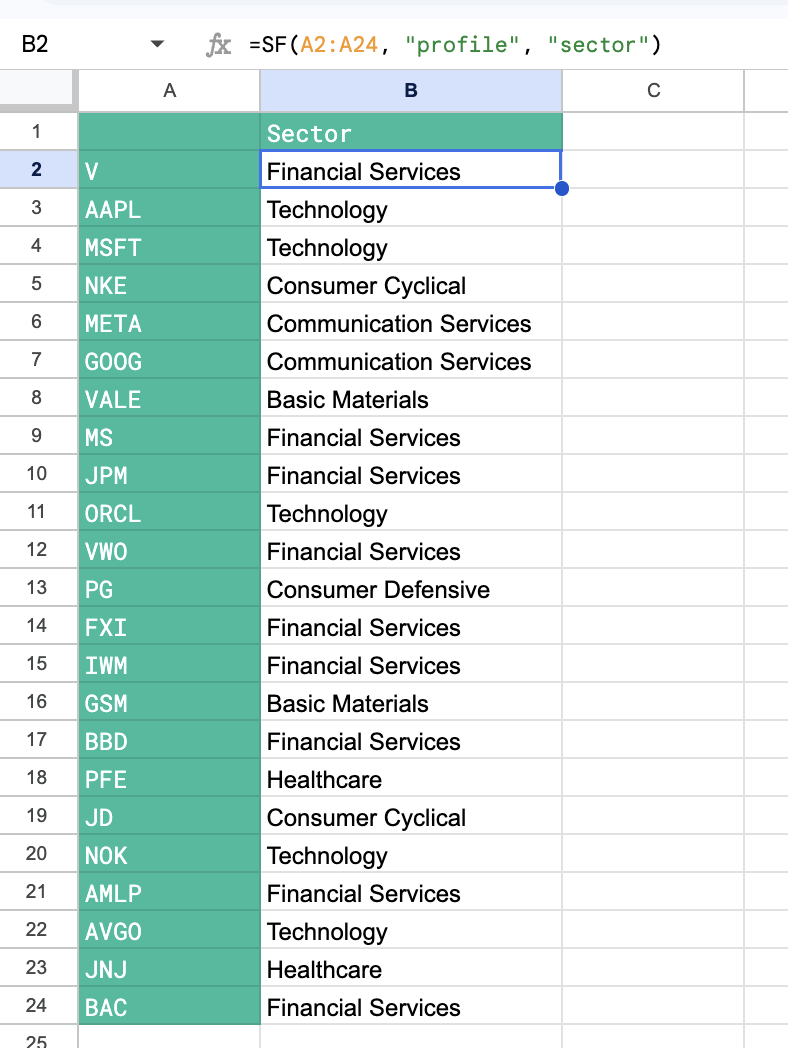
Example 2 - Multiple metrics
=SF(A2:A20, "profile", "name&exchange§or&lastDividend")