ESG Score
🇺🇸 Important: ESG Score data is only available for US markets
The esg data type returns an Environment, Social, and Governance (ESG) score for a stock. The ESG score is a measure of a company's sustainability and ethical impact. The score is calculated by aggregating data from various sources and is used by investors to evaluate a company's performance in these areas. The ESG score is a number between 0 and 100, with higher scores indicating better performance and 50 considered industry average. Scores are provided on a per SEC filing basis.
=SF(symbol, "esg", metric, year, options)symbolis the ticker symbol of the financial asset (e.g.,"AAPL"). You can use our Symbol Search to find the correct ticker symbol.metricselects what metrics to display (see options below), display all metrics by leaving blank or using"all". Chain together as many metrics as you'd like using&, e.g.,"date&formType&environmentalScore".yearis year or range of years for which you want to retrieve the data. You can enter a single year (e.g.2020) or a range of years (e.g.2019-2021).optionsadjusts the formatting of the output. Available options include:"NH"for no header rows and"-"for reversing the output. You can chain together as many options as you'd like using&, e.g.,"NH&-".
The ESG metric options are:
All (
"all")Date (
"date")Form Type (
"formType")Accepted Date (
"acceptedDate")Environmental Score (
"environmentalScore")Social Score (
"socialScore")Governance Score (
"governanceScore")Total ESG Score (
"ESGScore")Link (
"url")
Important: There is no universal standard for ESG scoring and different providers may use different methodologies. The ESG score provided by Sheets Finance is based on data from the SEC filings of the company and is calculated by FMP.
Examples
Example 1 - Display the most recent year of ESG score data
=SF("AAPL", "esg")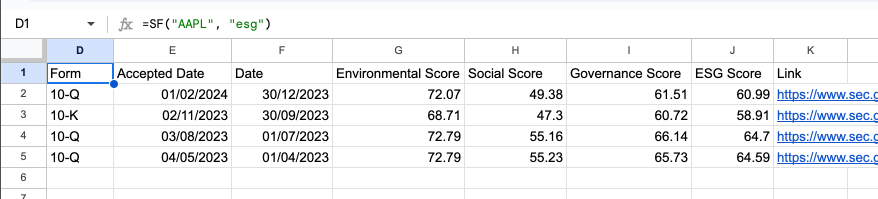
Example 2 - Display several selected metrics, specific year
=SF("AAPL", "esg", "date&formType&environmentalScore", "2022")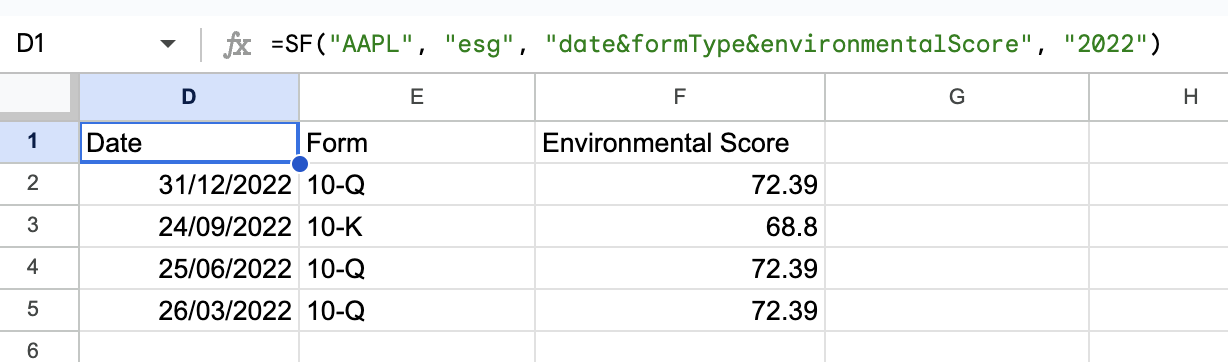
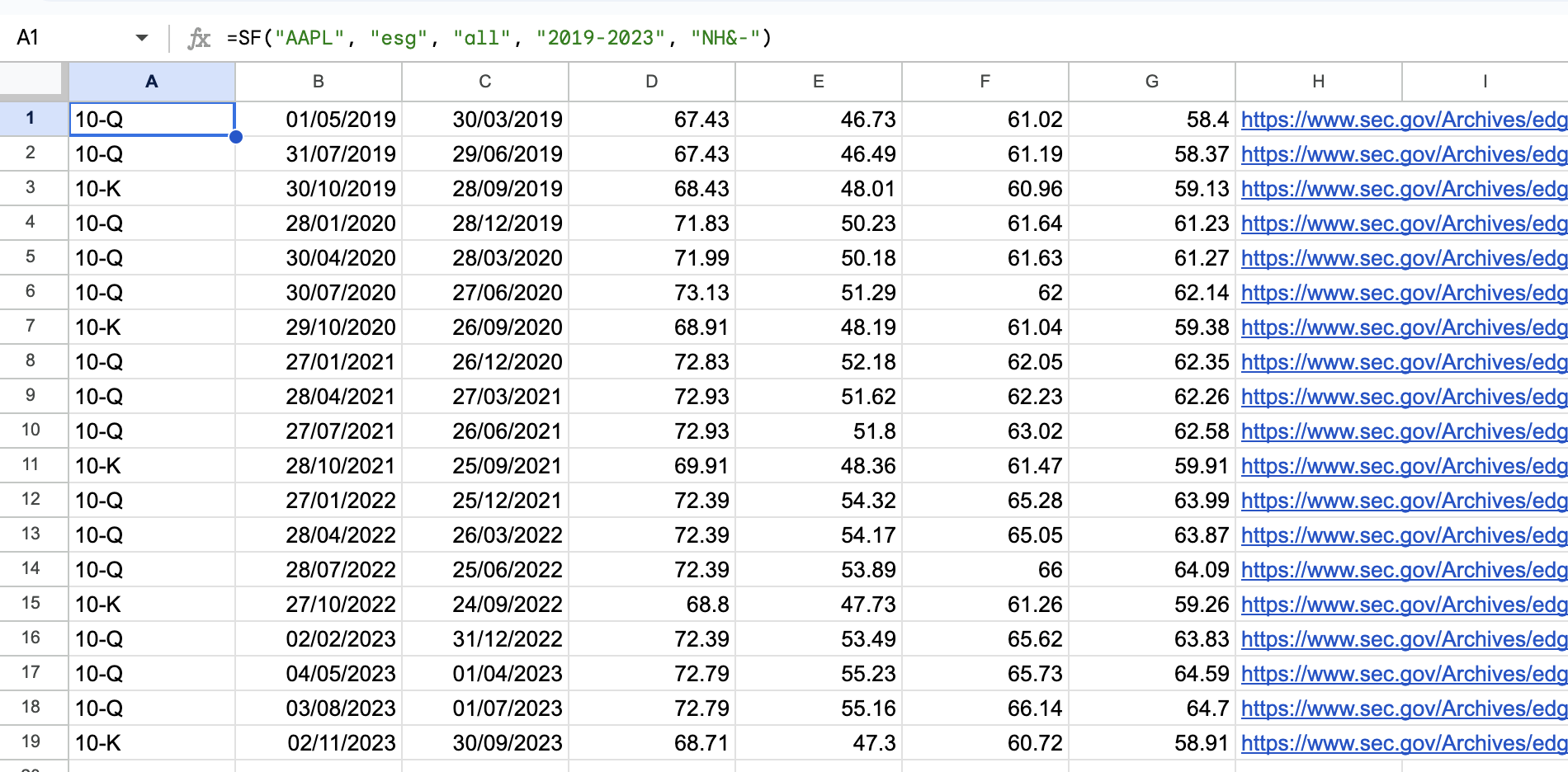
Example 3 - Display all metrics for a range of years with options selected (no header and reversed)
=SF("AAPL", "esg", "all", "2019-2023", "NH&-")