ETF Holdings
The etfHoldings data type returns up-to-date breakdown of ETF holdings.
=SF(ETF, "etfHoldings", metric, "", options)ETFis the ticker symbol of the ETF (e.g.,"SPY"). You can use our Symbol Search to find the correct ticker symbol.metricselects what metrics to display (see options below), display all metrics by leaving blank or using"all". Chain together as many metrics as you'd like using&, e.g.,"asset&weightPercentage".optionsadjusts the formatting of the output. There are three options available,NHfor no header rows,-to reverse the default output order,ob=<metric>to order by a certain metric andlimit=Xto limit the number of rows returned to X rows. You can chain together as many options as you'd like using&, e.g.,"ob=weightPercentage&limit=5&-".
The ETF Holdings metric options are:
All (
"all")Asset (
"asset")Name (
"name")ISIN (
"isin")CUSIP (
"cusip")Shares Number (
"sharesNumber")Weight (%) (
"weightPercentage")Market Value (
"marketValue")Updated (
"updated")
Tips:
ETF Holdings data does not have global coverage, only selected major markets are included.
You can screen stock ticker codes and check if the stock is an ETF by using the
"isEtf"sub type of the Company Info function.
Examples
Example 1 - All Holdings
=SF("SPY","etfHoldings")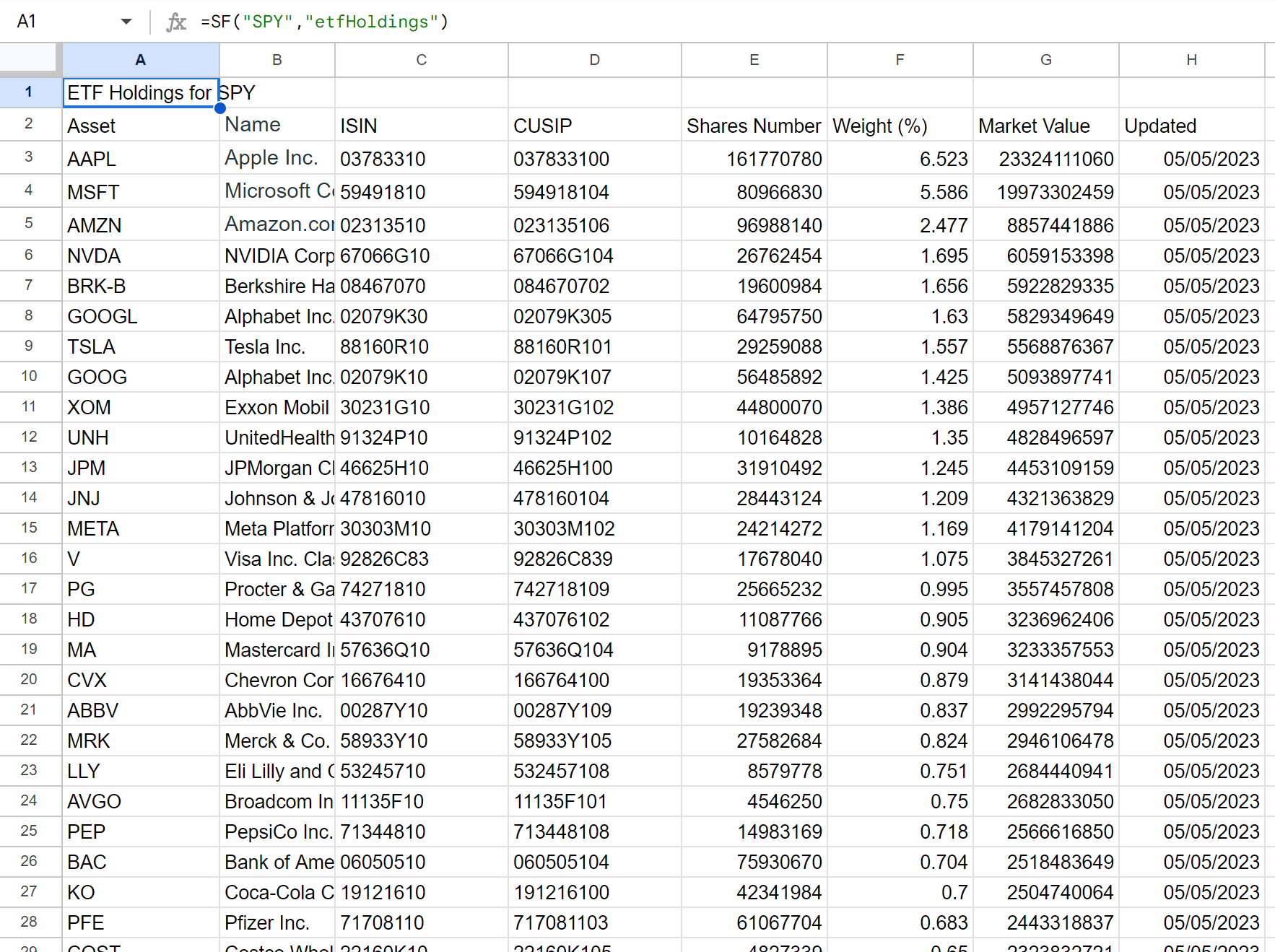
Example 2 - Display several selected metrics
=SF("SPY","etfHoldings","asset&weightPercentage&marketValue")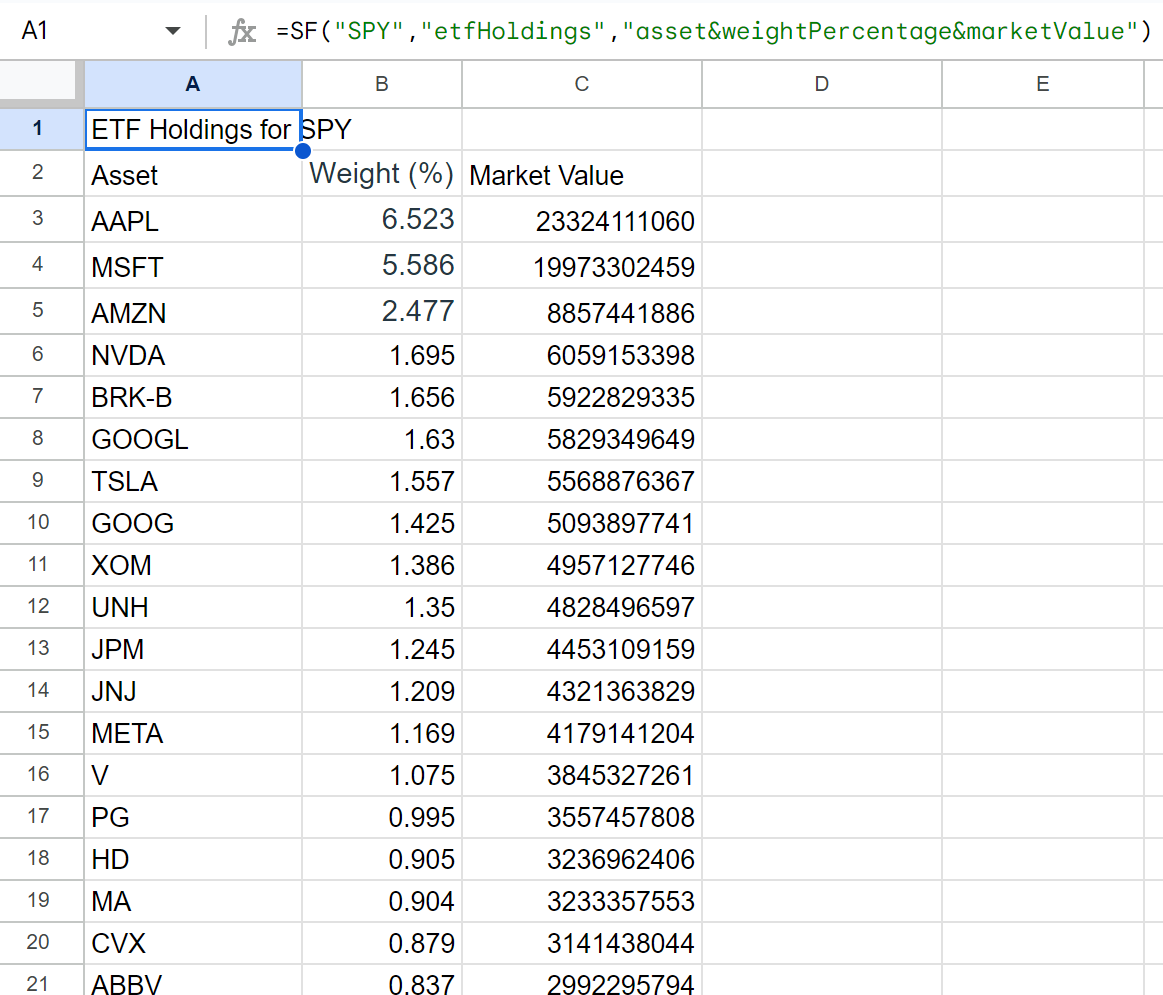
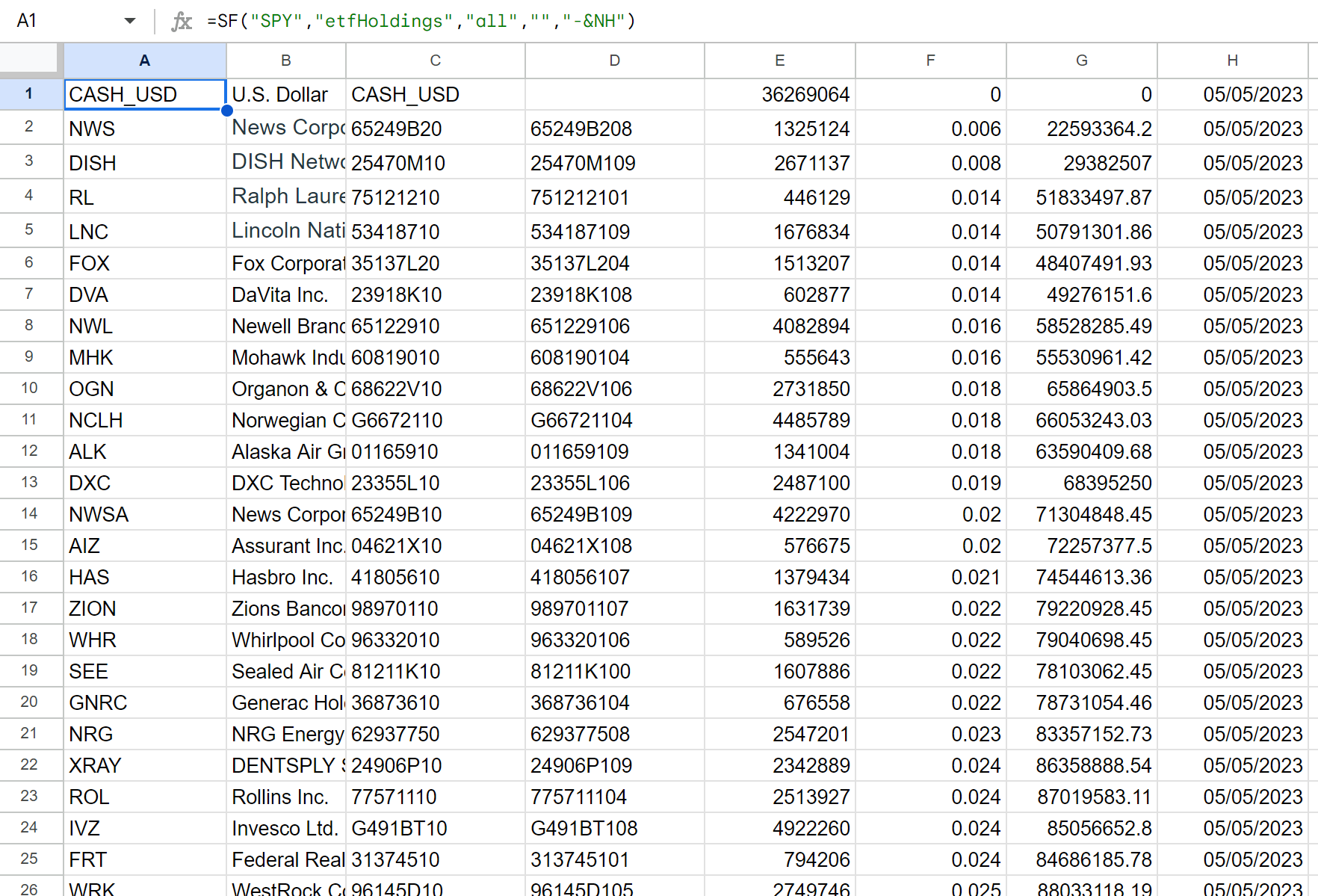
Example 3 - Display all metrics with options selected (no header and reversed)
=SF("SPY","etfHoldings","all","","-&NH")