Historical EOD
The historical data type allows you to directly access historical End of Day (EOD) data from the last 30+ years. The historical function accepts batching, so you can also use it to pull EOD data points for 1000s of symbols at the same time. Read more on batching under Historical EOD Batch.
=SF(symbol(s), "historical", metrics, date, options)symbol(s)is the ticker symbol(s) of the financial asset(s) (e.g.,"AAPL"). You can use our Symbol Search to find the correct ticker symbol. You can also reference a range of tickers (e.g.A1:A100), read more on batching under Historical EOD Batch.metricsis the historical metric(s) you are after, for example"open". You can leave this blank or set it to"all"to output ALL available historical metrics. You can also chain together multiple metrics using the&operator, for example"open&high&low&close". See the full list of available metrics below.dateis the date for the historical EOD data, e.g.,"2025-02-05". If the date entered is not a trading day (weekend or market holiday), the function returns the latest EOD value prior to that date.optionsadjusts the formatting of the output. There are two available options. (1)"NH"for no header row, or (2)"includeWeekends"to include weekends in the search (particularly useful for assets that trade closer to 24/7 such as FOREX or crypto, so you get the latest available data on those days). These options can be chained together with the&operator, for example"NH&includeWeekends".
The historical data type has the following metrics to select from:
Open (
"open")High (
"high")Low (
"low")Close (
"close")Close (Adj.) (
"adjClose")Volume (
"volume")Market Capitalisation (
"marketCap") - Cannot be batched, see Historical Market Capitalisation for more details.
Tips:
If the date entered is a weekend or market holiday, the latest EOD value prior to that date is returned.
Add
includeWeekendsto the options argument to include weekends in the search. This is particularly useful for FOREX or crypto so you get the latest available data on those days.If you get a "no data" error, check that historical data exists for the symbol near the requested date.
Similarly to our other batch functions, if only one symbol and metric is provided, the output will be a single value. If multiple symbols or metrics are provided, the output will include a header row. You can remove this header row by adding the
"NH"option.
Examples
Single metric, single stock (AAPL open 28 July 2021)
=SF("AAPL", "historical", "open", "2021-07-28")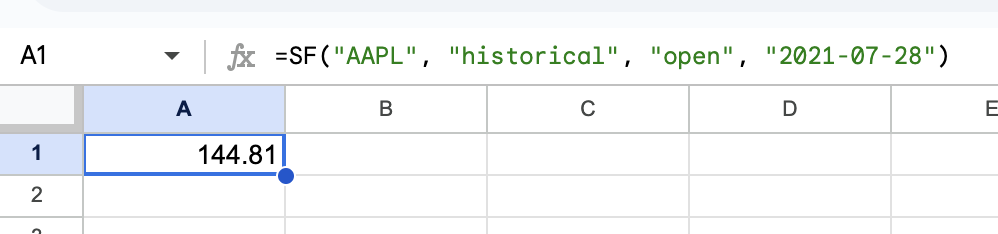
Multiple metrics, single stock (AAPL open, high, low, close 28 July 2021)
=SF("AAPL", "historical", "open&high&low&close", "2021-07-28")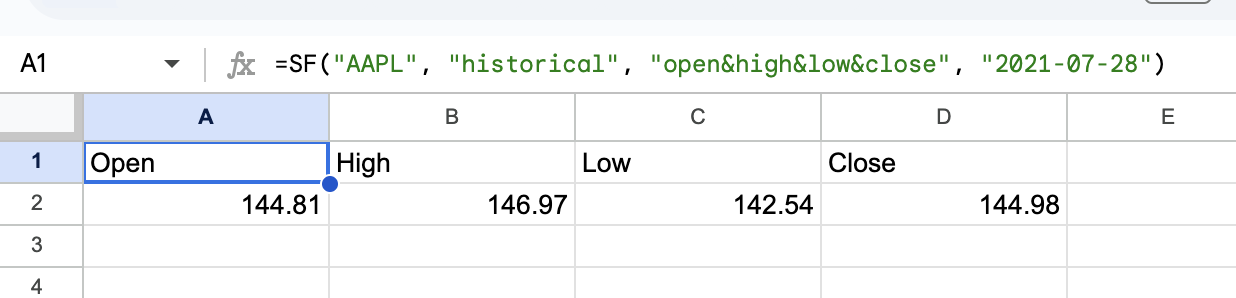
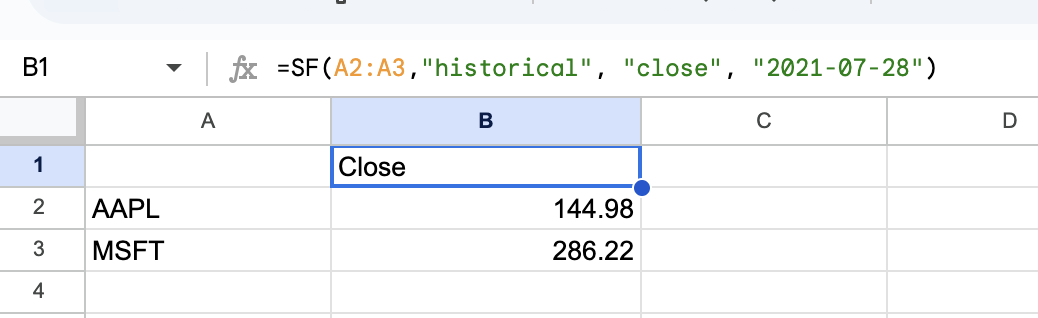
Single metric, multiple (batch) stocks (AAPL, MSFT close 28 July 2021) - Read more on Batching
=SF(A2:A3, "historical", "close", "2021-07-28")