
Stock Screener
IMPORTANT: This page explains how to use the in-built Stock Screener Generator. If you want to learn all about the underlying function SF_SCREEN() then please see the Stock Screener Function page.
The Stock Screener Generator automatically builds the complex SF_SCREEN() functions for you with a super intuitive interface. Simply add the filters you want to the screen, select the metrics you want to see in the output apply any further options/formatting and then click Generate to enter the function into the currently active (highlighted) cell. The Stock Screener is available from the dropdown menu in Google Sheets, below the Function Generator.
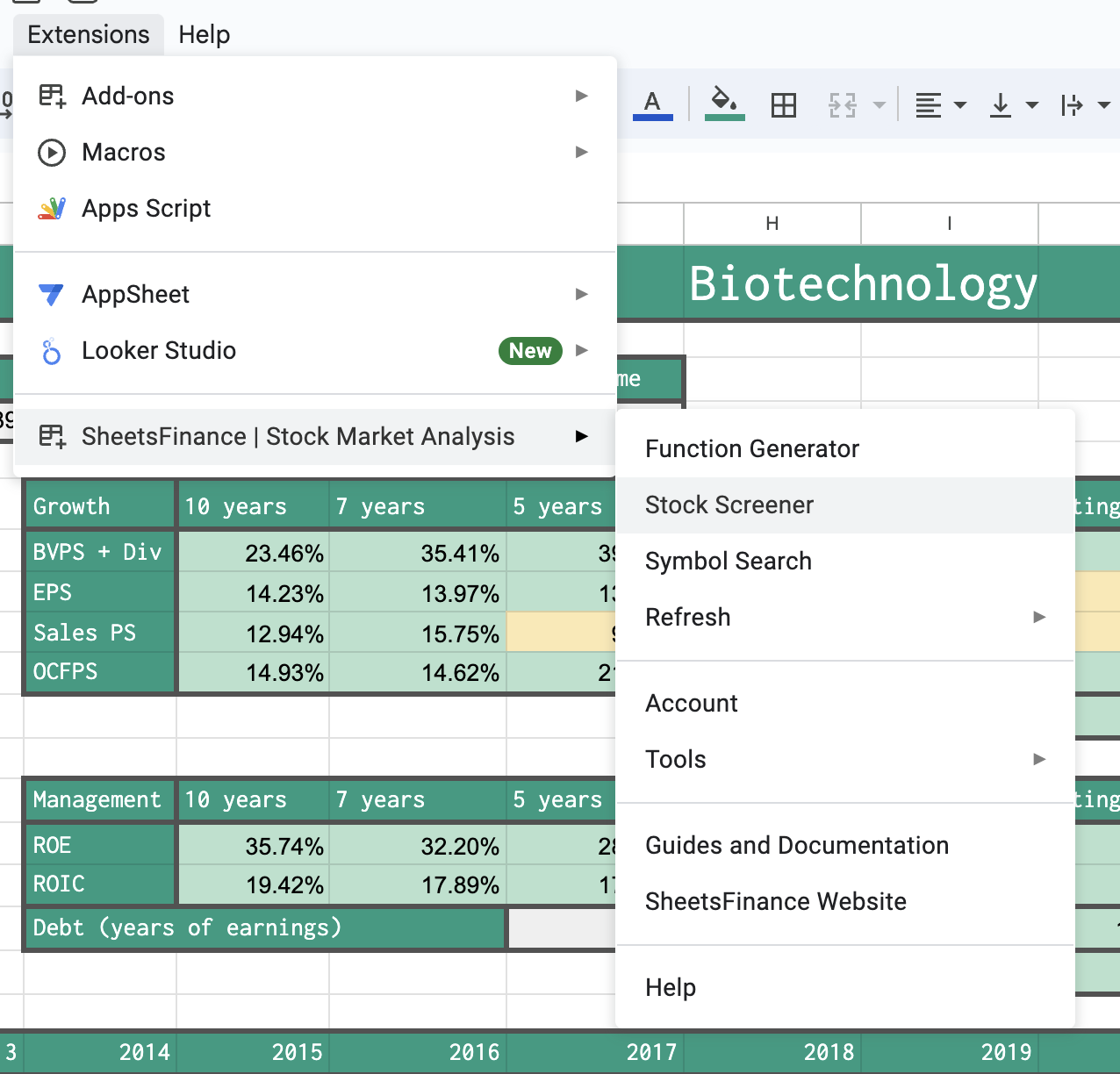
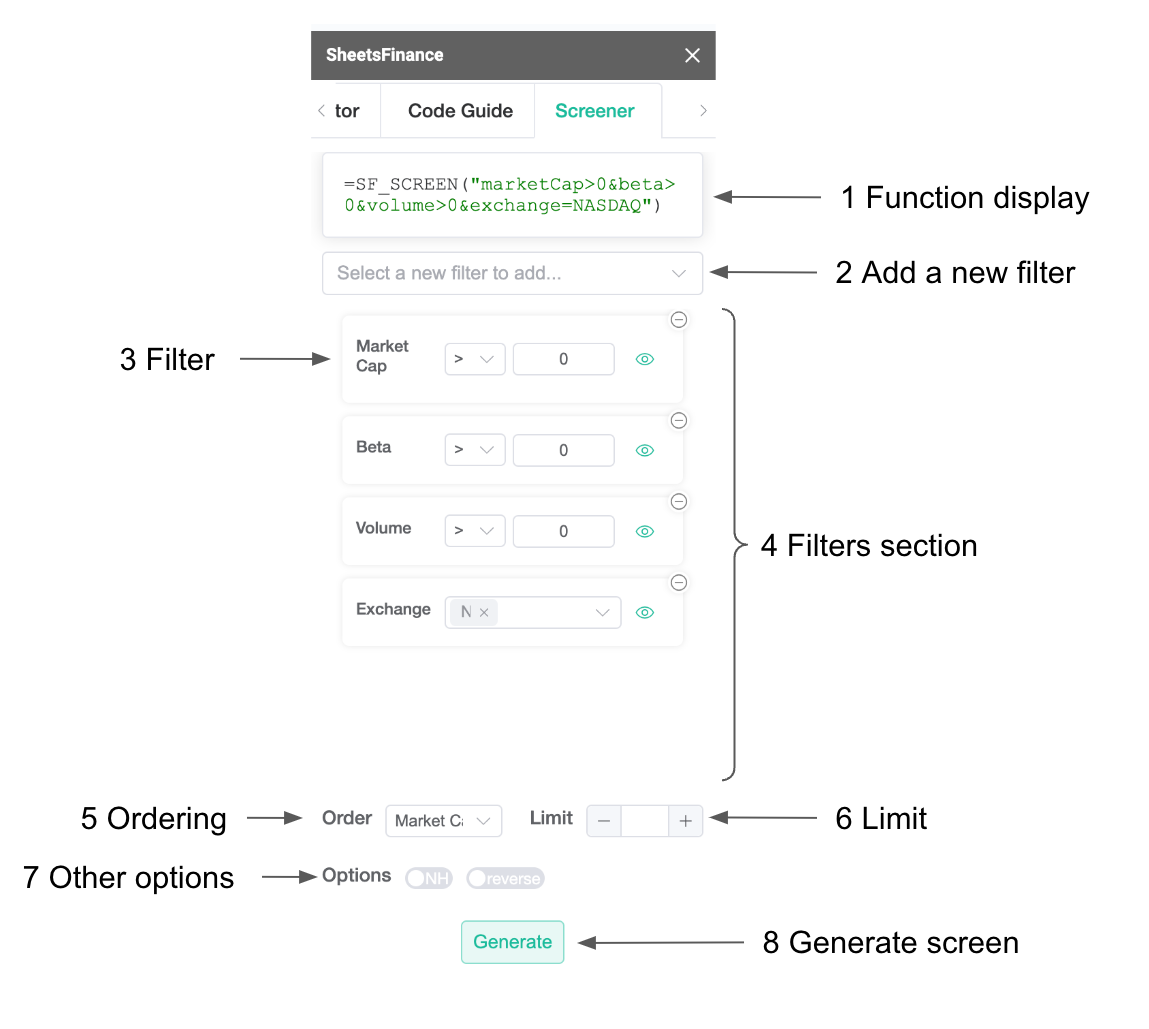
Once you open the Stock Screener, you can begin to add filters from the dropdown menu at the top. The function display will show you what's going on under the hood as it builds the SF_SCREEN() function for you in real-time. You can toggle whether to display a metric with the visibility button on the right of each filter. If you decide you no longer want a filter you can remove it by clicking the top-right delete button on the filter. Below the filters are the various options, such as the order, the limiting of results ad well as the removal of the header rows and reverse order (ascending).
For examples of screening a specific sector by financial metrics like operating margin or ROE, see the Screen stocks by sector and financial metrics guide.
Choose a currency for the screen
The Currency selector sets the currency used for monetary filters, sorting, and displayed values in both the Google Sheets and Excel Screener generators. It defaults to USD and uses the currently supported screen currencies supplied by the service. In Excel, the selector sits below the selected filters, just above the Order and Limit controls.
The supported choices are AUD, CAD, CHF, CNY, DKK, EUR, GBP, GBX, HKD, INR, JPY, NOK, NZD, SEK, SGD, USD, and ZAR. When USD is selected, the generated formula omits screenCurrency because USD is already the default; choosing another currency adds screenCurrency=<code> to the options argument.
Monetary filter thresholds, the monetary sort order, and the returned monetary values are all evaluated in the selected currency. To see each security's original currency alongside the converted values, include the Share Price Currency output metric: it adds both currency (the value in the selected screen currency) and sourceCurrency (the security's original profile currency) to the results.
The source-currency filter and the screen-currency selector are separate controls with different purposes.